Tables
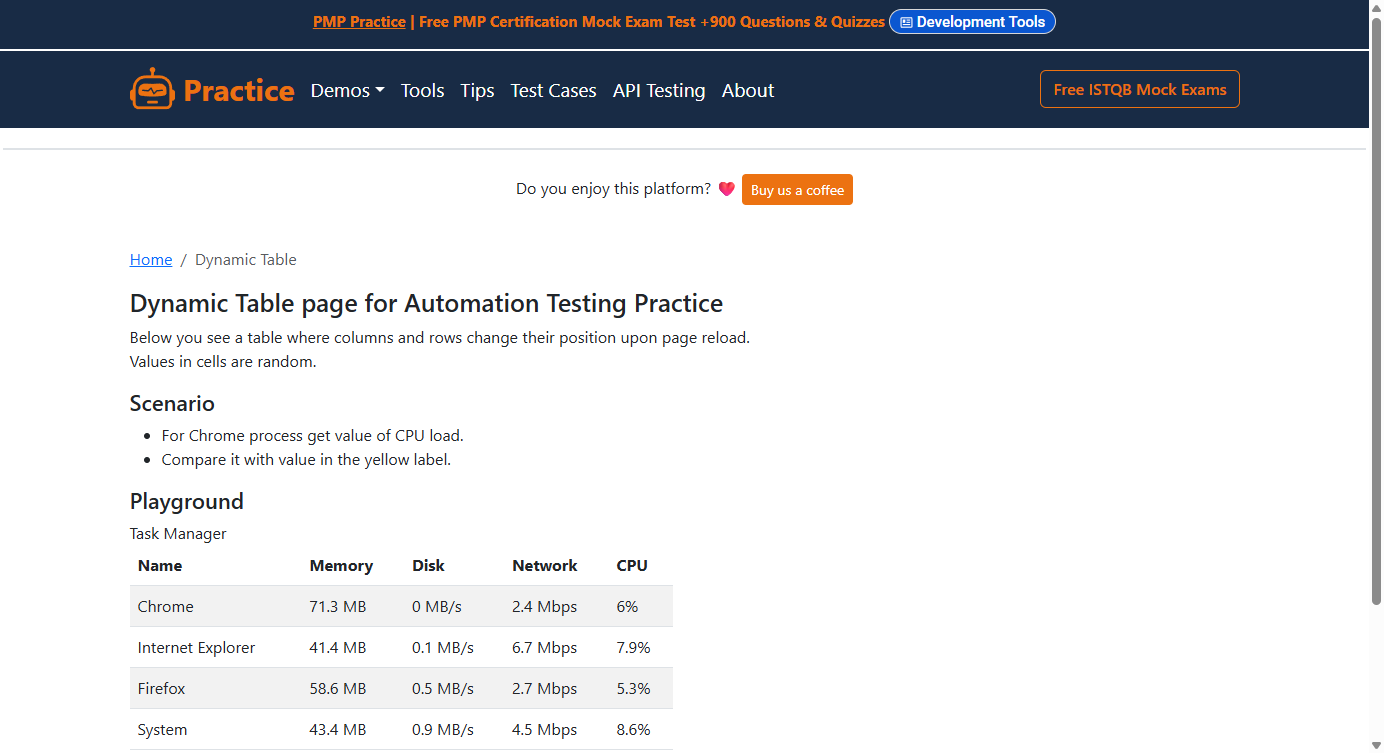
The table on the demo page shuffles its rows and columns on every page load. Chrome is in row 3 today and in row 1 tomorrow. CPU is sometimes column 4, sometimes column 2.
Most Selenium solutions address cells by position: table/tr[3]/td[4].
That breaks the moment the order changes. So you write helper methods
that read headers, search rows by name and cross-reference columns —
many lines of code for one value.
The OKW Solution
Dynamische Tabelle Chrome CPU Pruefen
    OnFailNOISE    StartApp       MyAppChrome

    OnFailNOISE    SelectWindow   Chrome
    OnFailNOISE    SetValue       URL    ${URL}

    OnFailNOISE    SelectWindow   DynamicTablePage
    MemorizeTableCellValueByHeaders    TaskManager    Chrome    CPU    CHROME_CPU
    VerifyValueWCM     ChromeCpuLabel    *${CHROME_CPU}*
    StopApp        MyAppChrome
One keyword: table name, row key, column header, variable name. OKW finds the cell wherever Chrome and CPU currently are.
MemorizeTableCellValueByHeaders:
- finds the table widget
TaskManager, - reads the header row and determines the index of column
CPU, - searches the key column (default: first column) for the row
Chrome— the row key is a wildcard pattern, - reads the value at the intersection,
- stores it in
${CHROME_CPU}.
If no row key or more than one row key matches, the keyword fails with a clear message.
The YAML
# locators/DynamicTablePage.yaml (excerpt)
TaskManager:
  class: okw_web_selenium.widgets.webse_table.WebSe_Table
  locator: { css: 'table' }

ChromeCpuLabel:
  class: okw_web_selenium.widgets.webse_label.WebSe_Label
  locator: { css: '.bg-warning' }
The table is one widget. No column definitions, no row templates.
WebSe_Table reads the HTML structure (<thead>, <tr>, <td>) and
builds the mapping at runtime.
Why Headers Instead of Positions?
Dynamic tables are everywhere:
- Task managers (processes reorder by CPU/memory)
- Dashboards (columns configurable by the user)
- Search results (sort order changes)
- Admin panels (data changes between tests)
Position-based selectors (tr[3]/td[4]) are brittle by design.
Header-based lookup is semantically stable: it finds "Chrome's CPU
value" regardless of layout. That is Signal instead of NOISE.
Table Keywords at a Glance
| By header (business) | By position | Purpose |
|---|---|---|
VerifyTableCellValueByHeaders |
VerifyTableCellValue |
Verify cell value (also …REGX) |
MemorizeTableCellValueByHeaders |
MemorizeTableCellValue |
Store cell value in a variable |
LogTableCellValueByHeaders |
LogTableCellValue |
Write cell value to the log |
SetTableCellValueByHeaders |
SetTableCellValue |
Enter a value into a cell |
ClickOnTableCellByHeaders |
ClickOnTableCell |
Click a cell |
DoubleClickOnTableCellByHeaders |
DoubleClickOnTableCell |
Double-click a cell |
VerifyTableRowContentByHeader |
VerifyTableRowContent |
Verify a whole row |
VerifyTableColumnContentByHeader |
VerifyTableColumnContent |
Verify a whole column |
| – | VerifyTableRowCount, VerifyTableColumnCount |
Verify counts |
| – | VerifyTableHasRow, VerifyTableContent |
Row exists / full content |
Recommendation: Use the ByHeaders variants wherever possible. Use
positions only when the table has no headers.
All table keywords log screenshots on three levels: cell → row → whole table. The Robot log shows, from detail to overview, which cell was checked.